Showing posts with label simple code sample. Show all posts

Wednesday, 13 February 2019

Changing Colours

img_a_01

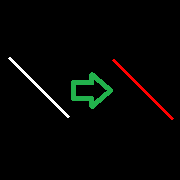
Well, in this opportunity I got some simple animation that involves a straight line that change its colour between 4 options in a fixed order, it's a relatively simple task, although I've seen codes that involve the use of objects and classes, so I hope to get a better understanding on them before posting about it.

Thursday, 1 December 2016

Canvas - Text

img_a_01

The first code shows how the text is located in the canvas:

from Tkinter import *

root = Tk()

ch, cw = 200, 200
x0, y0 =   0,   0
x1, y1 =  20,  40 

Thursday, 21 July 2016

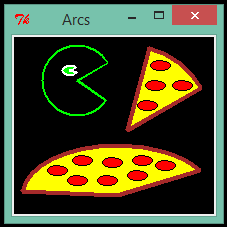
Canvas - Drawing Arcs

img_01v2
The first code is a simple example:
import Tkinter
root    =  Tkinter.Tk()
ch, cw  =  200, 200
c1 = Tkinter.Canvas(root, height = ch, width = cw, bg = "black")
c1.create_arc(30, 30, 200, 200, start = 30, extent = 45, outline = "brown", 
fill = "yellow", width = 4)

Saturday, 2 July 2016

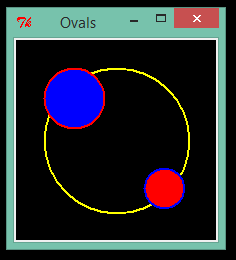
Canvas - Drawing Ovals

img_a_01

The first code is a simple example:

import Tkinter
root    =  Tkinter.Tk()
ch, cw  =  200, 200
c1 = Tkinter.Canvas(root, height = ch, width = cw, bg = "black")
c1.create_oval(30, 30, 175, 175, outline = "yellow", width = 2) 

Thursday, 10 March 2016

Canvas - Drawing Rectangles

img_16_10_001001001

The first code is a simple example:

from Tkinter import *
root = Tk()
c1 = Canvas(root, height = 180, width = 200, background = "black" )
c1.create_rectangle( 27, 17, 103,  93, fill = "blue", outline = "cyan")
c1.create_rectangle(103, 93, 179, 169, fill = "red", outline = "yellow")
c1.pack()
root.title("Rectangles")
root.mainloop()
 

Thursday, 28 January 2016

Canvas - Drawing Lines


The first code is a simple example:
from Tkinter import *
root = Tk()
c1 = Canvas(root, height = 180, width = 200)
c1.create_line(20, 20, 160, 160, fill = "orange"  , width = 3)
c1.create_line(40, 50, 100, 110, fill = "yellow"  , width = 3)
c1.pack()
root.title("Lines")
root.mainloop()
 
We must create a canvas using the "Canvas" method, also its dimensions are declared here.

Monday, 26 October 2015

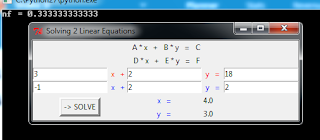
Solving 2 Linear equations

img_01

The next code is based on the Gauss Elimination method for solving a system of linear equations.

# Gauss elimination method for 2 linear equations
import Tkinter as tk

def lab_1(txt, foreground, row, col):
    w = tk.Label(root, text = txt, fg = foreground)
    w.grid(row = row, column = col)
    return w